myNeutron v1.3: What’s New and Why It Matters
myNeutron v1.3 is a workflow-first release. It focuses on two things that users feel every day:
- Keeping memory usable with less manual work
- Making important product information easier to find and act on
Below is what’s new, how it works, and why it matters.
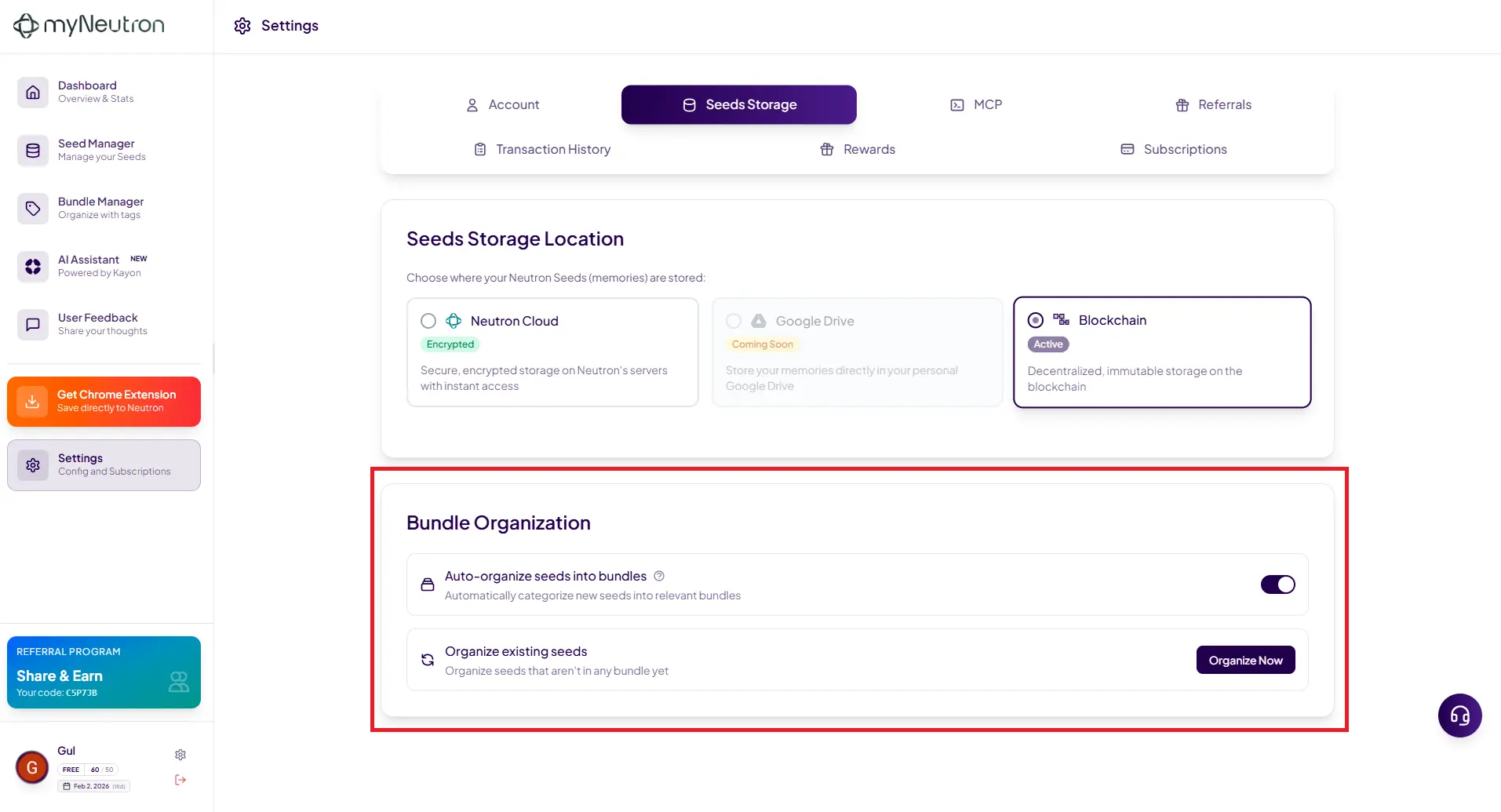
1) Auto-Bundling: Memory That Organizes Itself
The headline feature in v1.3 is Auto-Bundling.
When you add a new Seed, myNeutron can now detect whether that Seed belongs in an existing Bundle and connect it automatically. If no relevant Bundle exists, myNeutron will create one.
What it does
- Auto-detects relevant Bundles when a new Seed is added
- Adds the Seed to one or more Bundles if it strongly relates to multiple contexts
- Creates a new Bundle if the Seed introduces a new topic/project area
- Lets you toggle Auto-Bundling on/off from Settings (Auto-organize bundles)
- Even when Auto-Bundling is on, you can still manually add/remove Seeds from any Bundle
Why it matters
Most “second brain” tools store information, but do not keep it usable. You still have to:
- Decide where everything goes
- Drag items into folders
- And maintain organization over time.
Auto-Bundling reduces that maintenance burden. Your memory stays structured as it grows, without constant manual sorting. This is one of the clearest ways myNeutron makes “continuous AI work” real.
2) Add Seeds to Bundles directly from Seed Manager
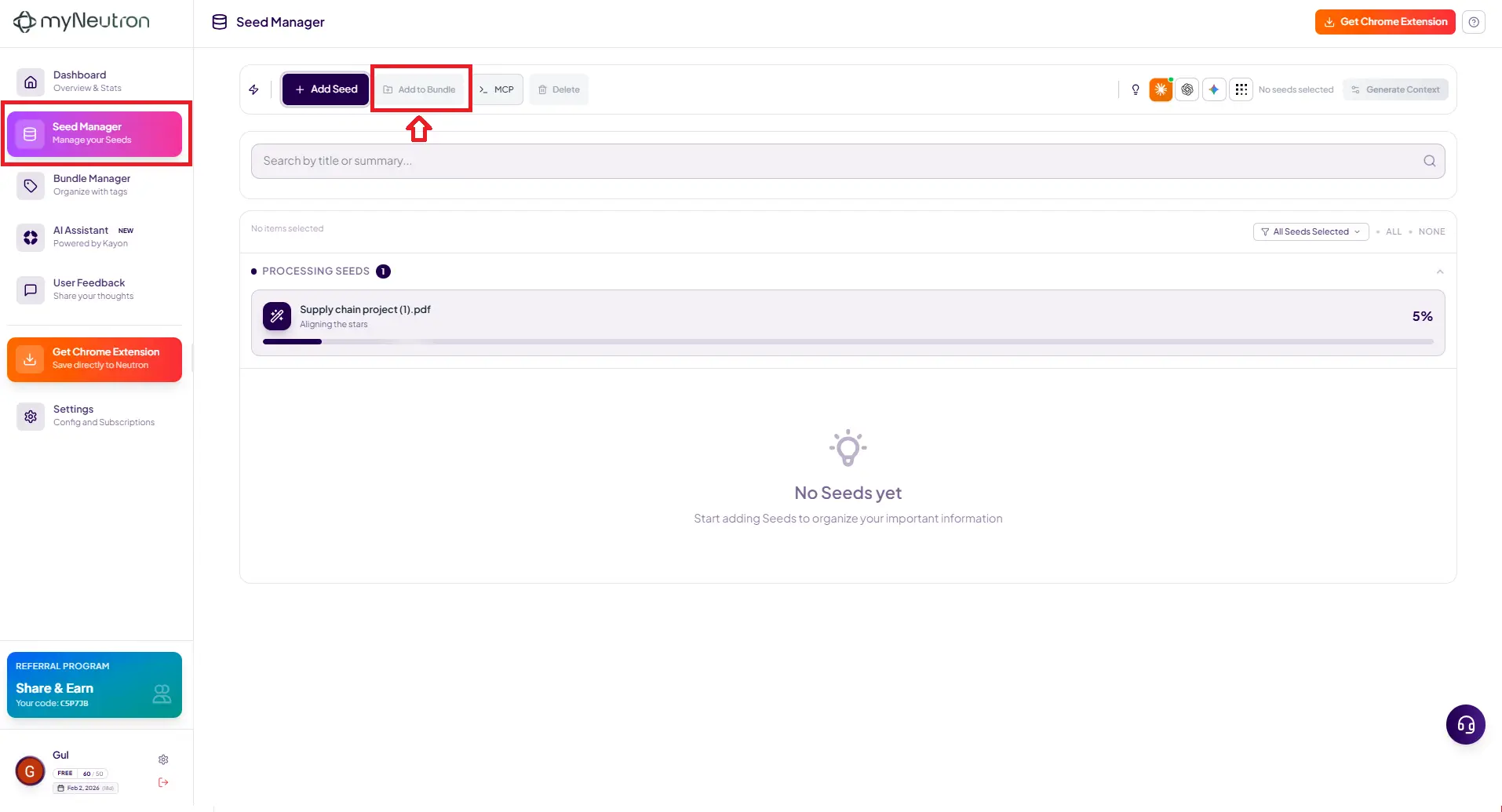
v1.3 also adds an “Add to Bundle” option directly inside the Seed Manager screen.
What it does
- Let's you assign Seeds to Bundles while browsing Seeds in the manager view
- Makes “organize as you go” much easier, without jumping between screens
Why it matters
Seed Manager is where many users naturally review and clean up their memory library. It’s a comfortable format to work in, so bundle creation and maintenance should be possible right there.
This small change improves flow and reduces friction in day-to-day use.
3) Credits & Rewards: Clearer Structure With Transaction History
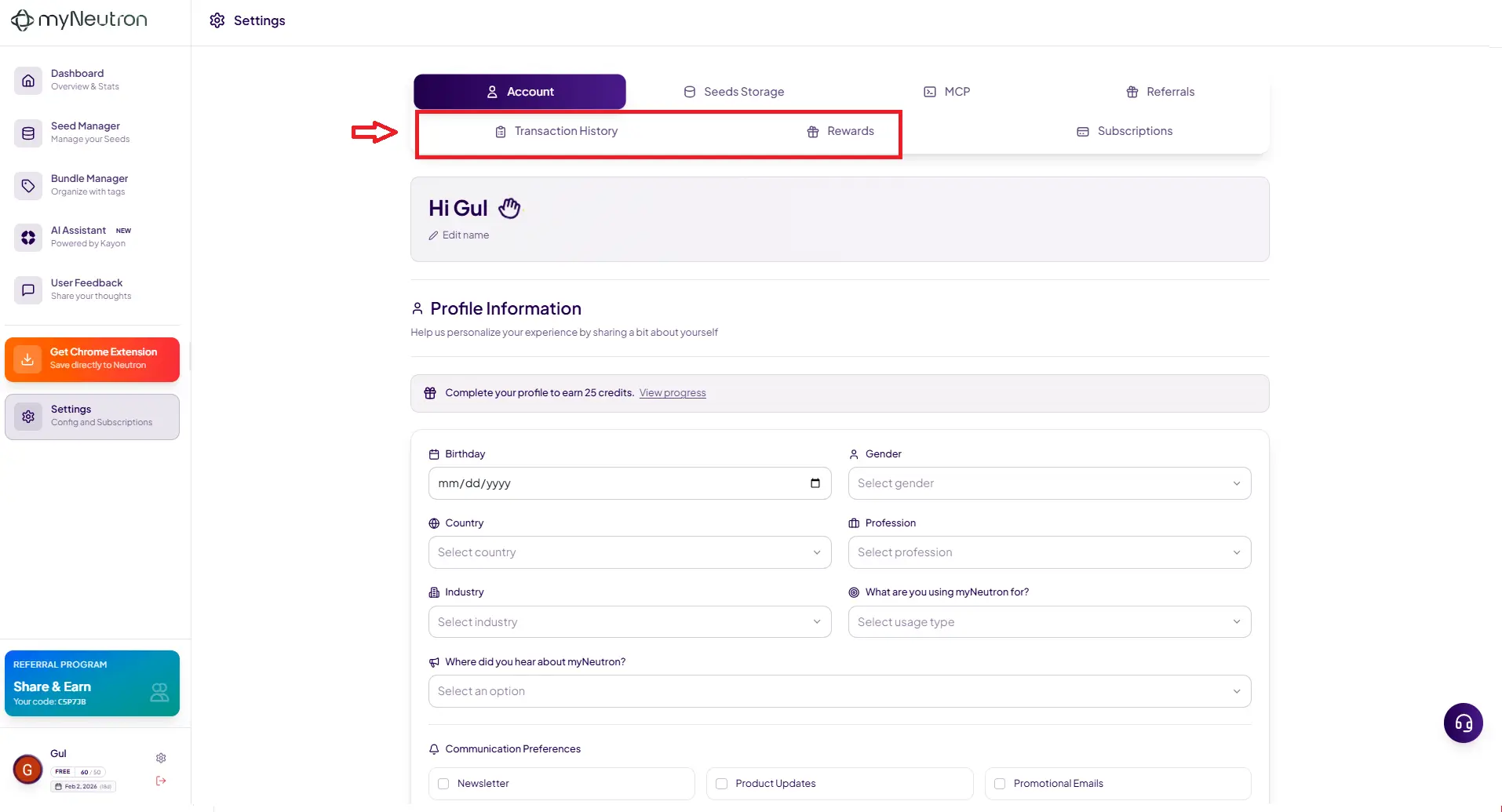
Users asked for an easier way to track credit consumption and usage. v1.3 addresses this by splitting the current Credits & Rewards area into two dedicated tabs:
New tabs
- Transaction History
- Rewards
There is also a new shortcut to Transaction History added on the user dashboard, so you can reach it faster.
Why it matters
Credit usage is part of how power users manage their workflow. If it’s hard to find where credits were consumed, users lose visibility and confidence.
Transaction History makes credit movement obvious and easy to audit. Rewards get their own space without mixing both concepts together.
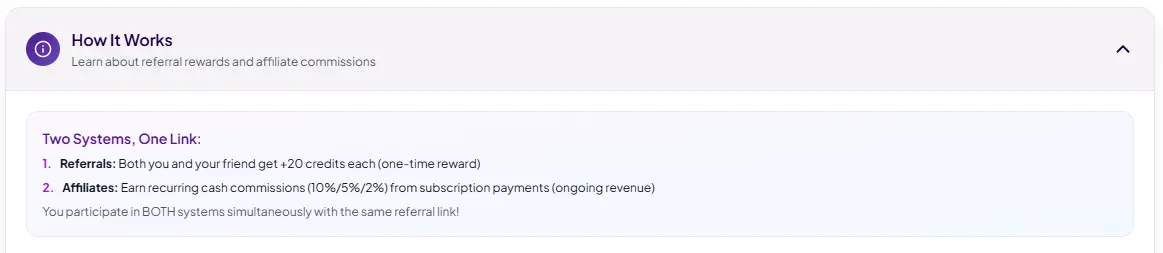
4) Referral Bonus Improvement: Both Users Get +20 Credits
This is a practical incentive change.
What changes
When a referral code is used during signup:
- Referrer gets +20 credits
- New user also gets +20 credits
Why it matters
Previously, only the referrer benefited. That meant the new user had no reason to use a code and could just sign up normally.
With this update, both sides benefit, which makes referral usage more natural and increases adoption through friends and teams.
A Cleaner v1.3 Experience
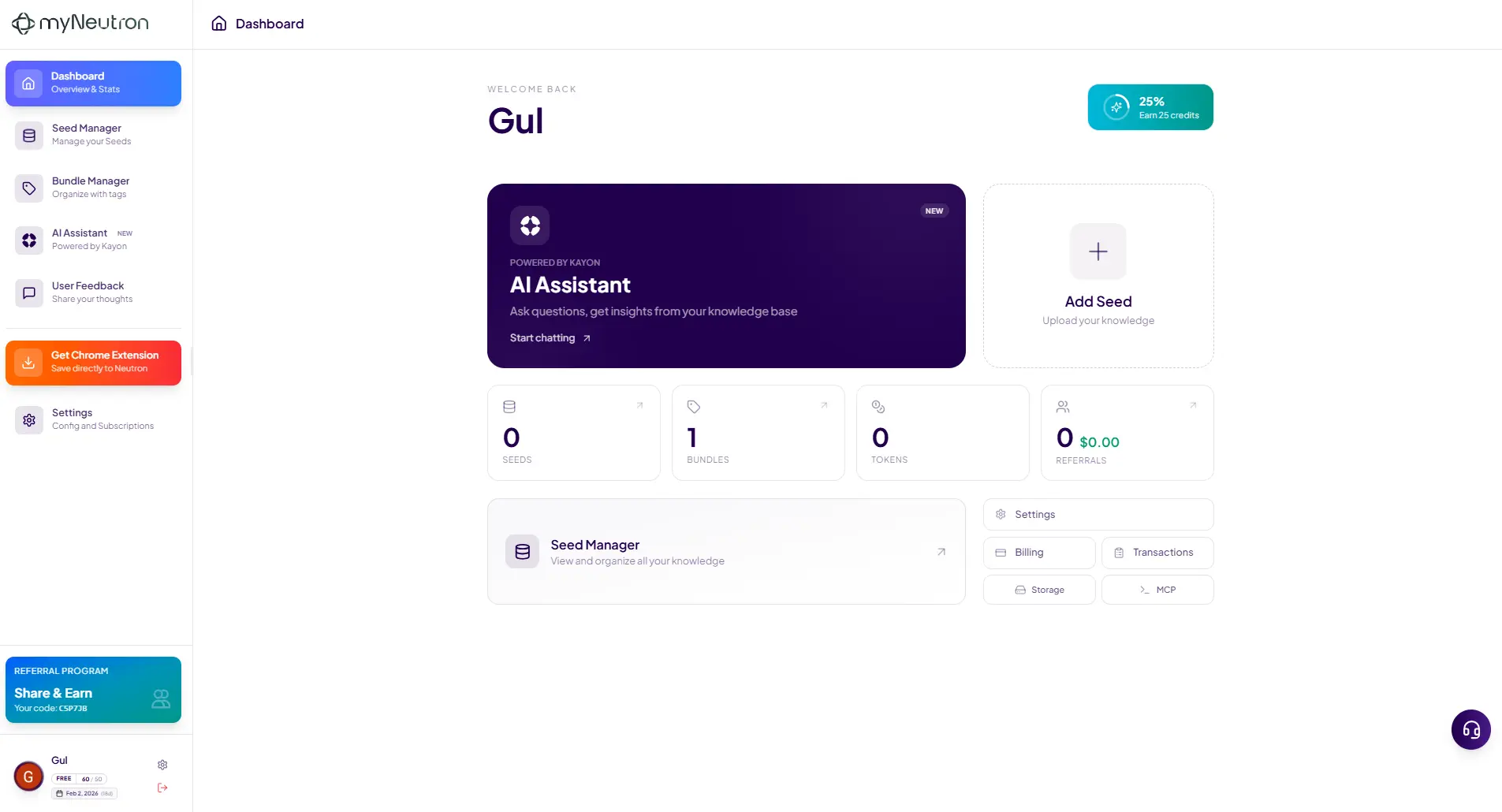
Alongside the functional changes, v1.3 includes UI improvements across key screens to make daily use feel cleaner and more deliberate. The theme remains the same: less friction, more continuity.
v1.3 makes myNeutron feel more “automatic” in the places that used to require manual effort:
organization, visibility, and incentives.
- Auto-Bundling keeps memory structured as it grows
- Seed Manager now supports quick bundling
- Transaction History makes credits transparent
- Referrals now reward both sides with +20 credits
- UI refinements make the workflow smoother
Your memory layer just got smarter.
Try it:
myneutron.ai
Get myNeutron and never lose context again